
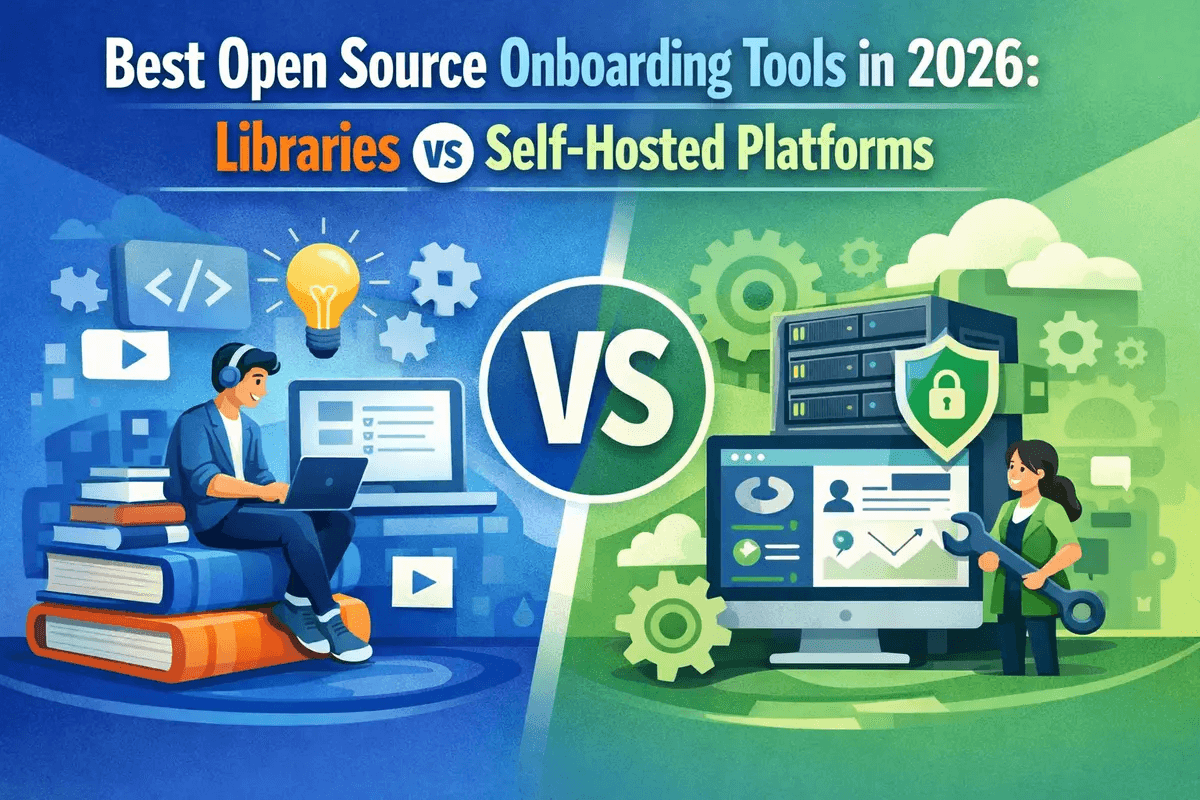
Most teams searching for an open source onboarding tool are not actually comparing the same kind of product.
Some tools are just libraries for building tours and tooltips inside your app. Others are full onboarding platforms with a visual builder, targeting, analytics, and self-hosting options. Those two categories solve very different problems, but they are often discussed as if they were interchangeable.
That is the main reason this market feels confusing.
If you only need a guided tour, a lightweight library may be enough. If you need non-technical teams to launch onboarding flows, target users, and measure completion rates without shipping code every time, you are looking for a platform.
The biggest mistake in open source onboarding evaluations#
The phrase open source onboarding usually groups together tools that should be evaluated separately:
- Product tour libraries
- Headless onboarding frameworks
- Full onboarding platforms
- Customer messaging tools that also mention onboarding
In practice, most open source options fall into the first category.
That means they can render onboarding UI such as spotlights, tooltips, hints, and step-by-step walkthroughs, but they do not give you the management layer that teams usually expect from Appcues-style products. You still need to build the editor, publishing workflow, audience targeting, analytics, and lifecycle logic yourself.
So the real buying question is not just “which tool is open source?” It is “do we need a library or a platform?”
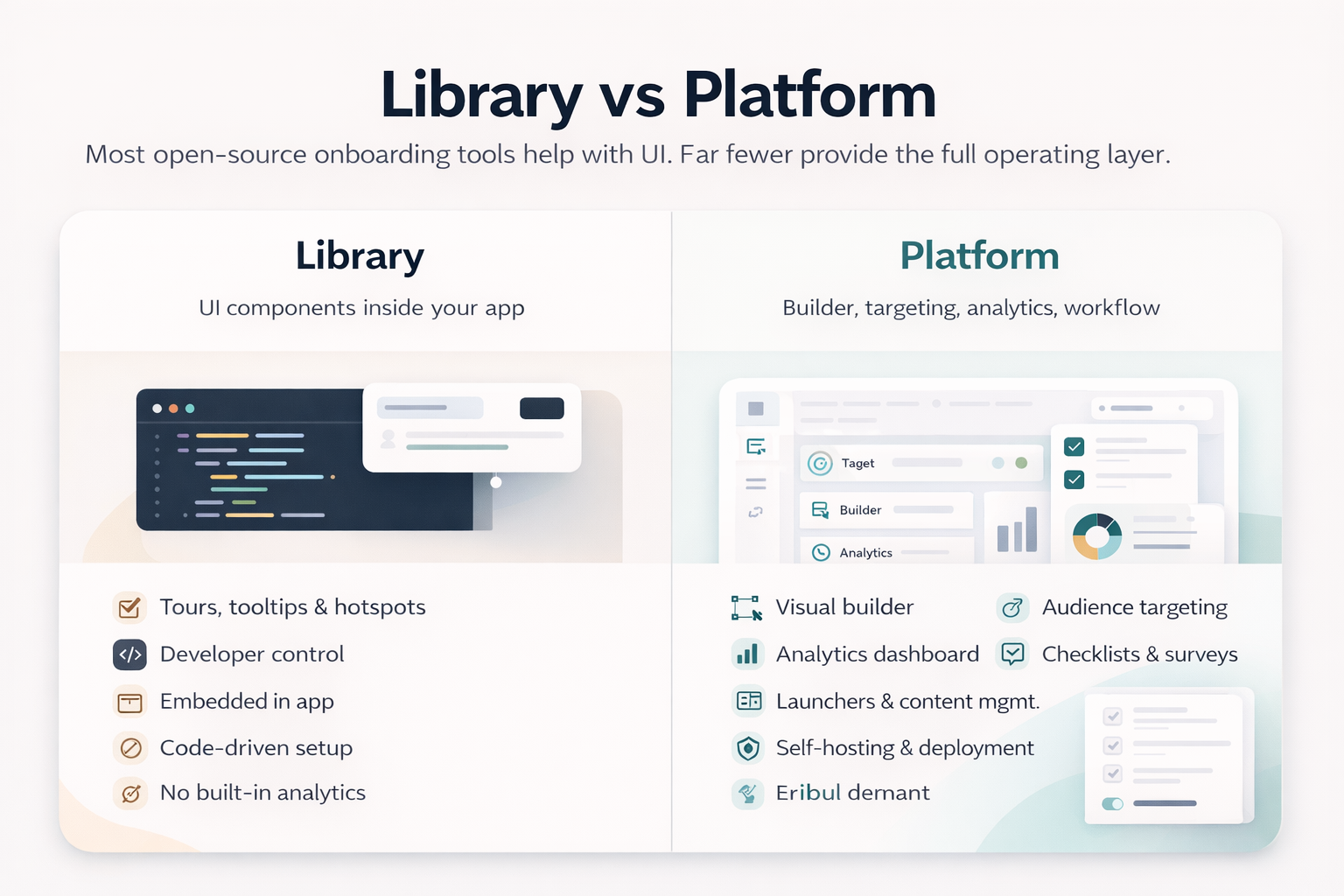
Libraries vs platforms#
Here is the simplest way to think about the market.
Product tour libraries#
A product tour library helps developers render onboarding UI inside an application. It usually gives you:
- Step-based tours
- Tooltips or hotspots
- Spotlight overlays
- Event hooks for navigation and completion
- Styling APIs for matching your design system
What it usually does not give you:
- A visual editor for product or customer success teams
- Built-in segmentation and targeting rules
- Flow analytics dashboards
- Versioning and publishing workflows
- Centralized management across environments
Libraries are best when onboarding is owned by engineering and released as part of the product codebase.
Full onboarding platforms#
A platform adds the operational layer around onboarding. In addition to rendering UI in your app, it typically includes:
- A visual builder
- Theming controls
- User targeting
- Flow triggers
- Checklists, surveys, and launchers
- Analytics and completion reporting
- Hosted or self-hosted deployment choices
Platforms are best when onboarding is an ongoing growth workflow, not just a one-time UI implementation.
Best open source onboarding tools in 2026#
Below is the short list worth paying attention to if you want a practical view of the market rather than a giant directory.
The image below compares the shortlist across category, licensing, deployment model, and best-fit use case.
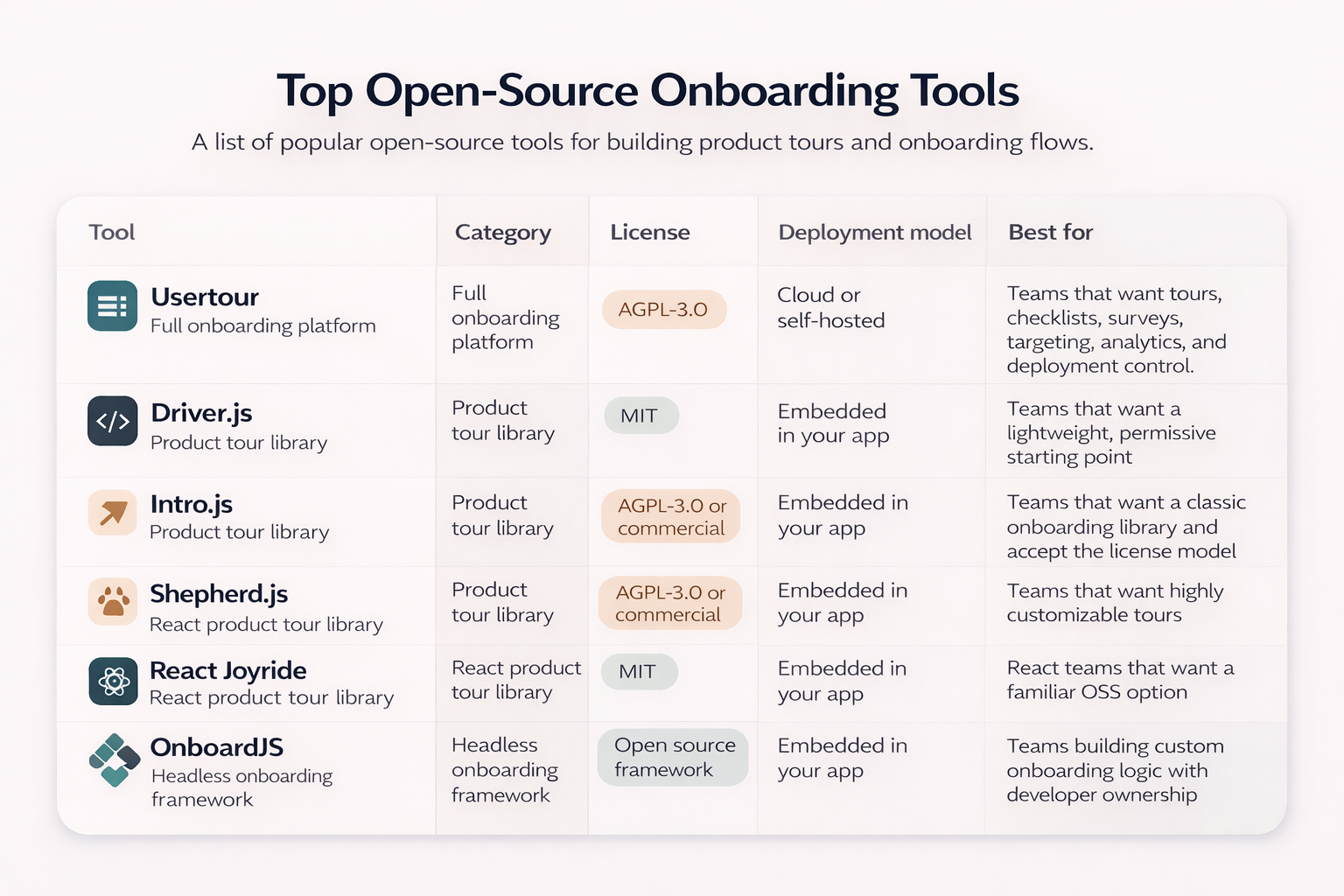
If you want the short version, the market splits cleanly into libraries for engineering-led teams and platforms for teams that need targeting, analytics, and operational workflows.
1. Usertour#
Usertour is one of the clearest examples of a real open source onboarding platform rather than just a tour library.
It is positioned as an open source user onboarding platform for building in-app product tours, checklists, surveys, and banners, and its product surface reflects that positioning. The self-hosted deployment path is documented, and the product is designed around managed onboarding content rather than hard-coded step definitions.
Why it stands out:
- It covers tours, checklists, surveys, banners, and launchers
- It includes a visual content builder
- It supports targeting and personalization
- It includes analytics for views and completion behavior
- It can be self-hosted for teams that care about data control
Where it fits best:
- B2B SaaS teams
- Teams replacing Appcues, Userflow, or similar tools
- Companies that need both product onboarding and operational control
Main tradeoffs:
- Self-hosting adds operational overhead
- The MIT community code and separate enterprise licensing model should be understood properly before rollout
- It is more platform than library, so it is not the lightest option for simple use cases
If your real requirement is self-hosted onboarding software, Usertour should be on the shortlist. Most alternatives in the open source ecosystem do not offer the same platform layer.
Official URL: https://github.com/usertour/usertour
2. Driver.js#
Driver.js is the most straightforward option for teams that want an open source product tour library with minimal legal friction.
Its main strength is simplicity. It focuses on guided focus, overlays, and popovers without pretending to solve the entire onboarding workflow.
Why teams choose it:
- MIT license
- Lightweight mental model
- Good fit for custom product tours
- Easy to integrate into an existing app
Main limitation:
You are only getting the presentation layer. If you want segmentation, analytics, localization workflows, authoring tools, or non-engineer ownership, that work remains yours.
Driver.js is a strong choice when engineering owns onboarding and wants maximum control.
Official URL: https://github.com/kamranahmedse/driver.js
3. Intro.js#
Intro.js remains one of the most recognizable onboarding libraries in this category.
It is well suited to classic step-by-step product tours and feature introductions, and it is easy to understand why it remains widely considered. The main issue is not capability. The main issue is licensing.
Why teams consider it:
- Mature and well-known
- Clear tour and hint patterns
- Fast to prototype with
Main limitation:
Intro.js is not a full onboarding platform, and its AGPL or commercial licensing model becomes the first decision filter for many proprietary SaaS teams.
That means Intro.js is often less of a pure engineering decision and more of a legal and procurement decision.
Official URL: https://introjs.com/
4. Shepherd.js#
Shepherd.js is a strong fit for teams that want more customization over the look and behavior of onboarding tours.
It is often attractive to product teams with a stronger design system and stricter UI expectations because it does not force a heavy default visual style.
Why teams consider it:
- Flexible and customizable
- Popular guided tour model
- Good fit for teams that care about polished product UI
Main limitation:
Like Intro.js, the current licensing model matters. It is also still a library, which means dashboards, segmentation, and flow management are not built in.
If you want a tour system that feels deeply integrated into your product UI, Shepherd.js is worth evaluating. If you want an onboarding operating system, it is not enough by itself.
Official URL: https://www.shepherdjs.dev/
5. React Joyride#
React Joyride is still a practical option for React teams that want an OSS library with a familiar developer experience.
It does not try to be a full platform. That is both the limitation and the appeal.
Why teams consider it:
- MIT license
- React-native mental model for React apps
- Good starting point for engineering-led onboarding
Main limitation:
It is best for tours, not for full onboarding operations. If your roadmap includes checklists, targeting, analytics, and content ownership outside engineering, you will eventually need more infrastructure around it.
Official URL: https://github.com/gilbarbara/react-joyride
Also consider: OnboardJS#
OnboardJS is interesting because it sits between a simple tour library and a complete platform.
It is better understood as a headless onboarding framework. That makes it useful for teams that want onboarding logic, persistence, and analytics concepts without committing to a fixed UI system.
Why teams consider it:
- Developer-first approach
- More flexible than a basic tooltip library
- Better suited for onboarding flows and wizards than simple overlays
Main limitation:
It still requires engineering investment. If your goal is to let product, growth, or customer success teams publish onboarding without code, this is not the same category as a true onboarding platform.
Official URL: https://onboardjs.com/
When a library is enough#
Choose a library if most of the following are true:
- Engineering owns onboarding end to end
- You only need tours, hints, or contextual guidance
- Your product already has its own analytics stack
- You want onboarding to ship with application code
- You care more about UI control than no-code authoring
In that scenario, Driver.js, React Joyride, Intro.js, or Shepherd.js can all be reasonable depending on your stack and license requirements.
When you need a platform#
Choose a platform if most of the following are true:
- Product or customer success teams need to launch flows without engineering help
- You want built-in completion metrics and funnel visibility
- You need user targeting and trigger rules
- You want checklists, surveys, and launchers in addition to tours
- You need a real self-hosting option for compliance or infrastructure control
This is where most open-source lists become less useful, because the number of true platform options is much smaller than the number of libraries.
How to choose the right tool#
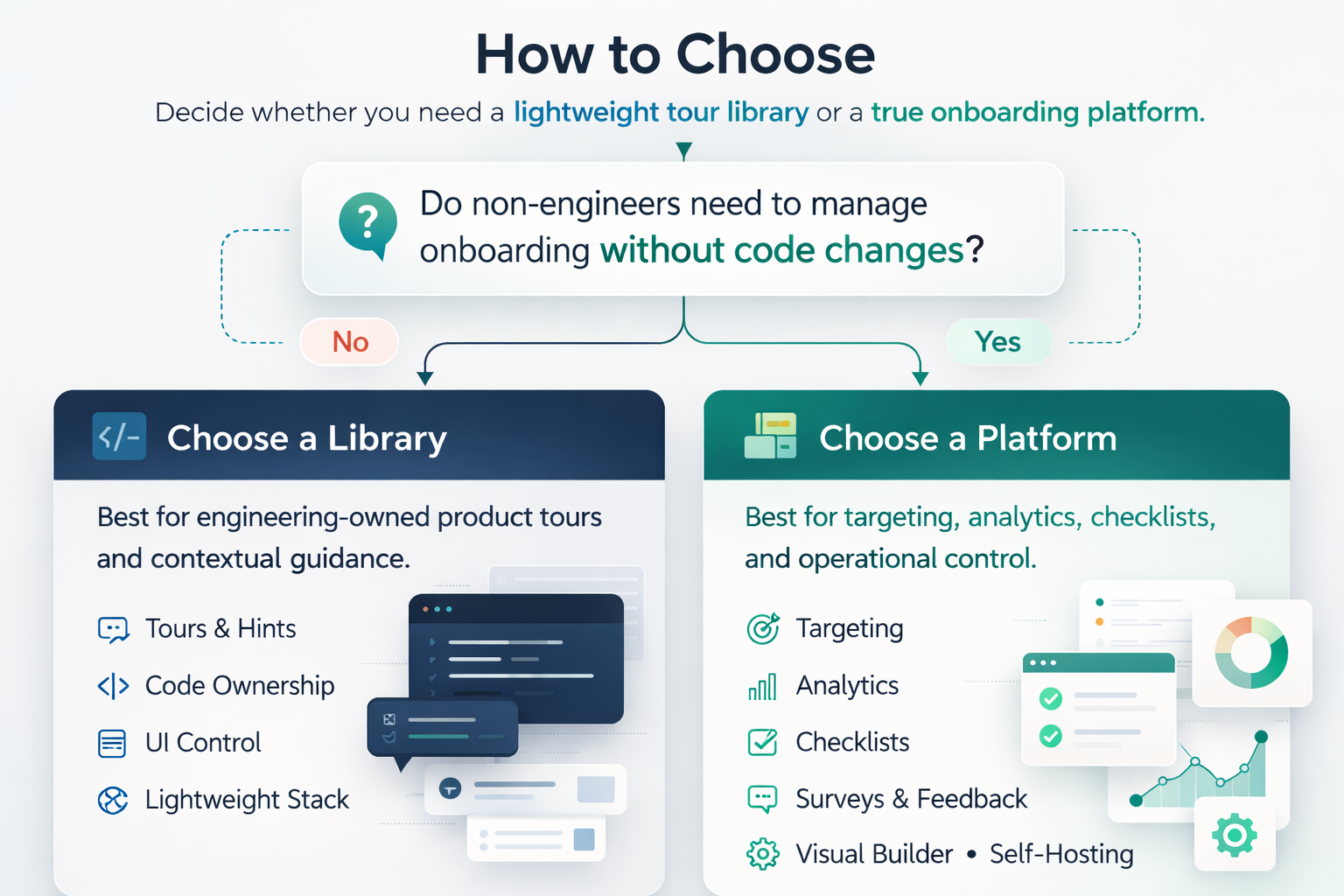
A practical decision framework looks like this:
Choose a library if#
- Your onboarding scope is narrow
- Your team is engineering-led
- You are comfortable owning the surrounding workflow
- You want a permissive license such as MIT where possible
Choose a platform if#
- Onboarding is part of your growth system
- Multiple teams need to manage flows
- You want analytics, targeting, and operational tooling built in
- Self-hosting is a real requirement, not just a nice-to-have
Final takeaway#
The open-source onboarding market is not short on tools. It is short on tools that solve the full problem.
Most open-source onboarding tools are libraries. They are useful, flexible, and often the right choice for engineering-led teams. But they do not replace a real onboarding platform.
If you just need product tours, start with a library. If you need a self-hosted onboarding system with targeting, analytics, and a visual workflow, narrow your evaluation to true platforms first.
As the comparison above shows, the fastest way to make the right choice is to decide whether you need UI primitives or an onboarding operating layer.