
Great onboarding should feel native to the person experiencing it. But when your product reaches new markets, translating a few screens is rarely enough. Tours, checklists, announcements, banners, surveys, and the Resource Center all need to speak the same language as the product around them.
With Usertour v0.8.8, Localization is now a first-class capability. You can translate every customer-facing Usertour experience, decide exactly which language each person sees, and keep translations safe as your content evolves.
One localization workflow for all of your in-app content#
Localization works across the Usertour content your customers interact with:
- Flows and product tours
- Checklists and launchers
- Banners and surveys
- Announcements
- Resource Centers
Start in Settings → Localization by adding the languages your project supports and choosing a default source language. Then, open any supported content item and use its Localization tab to work on a specific language.
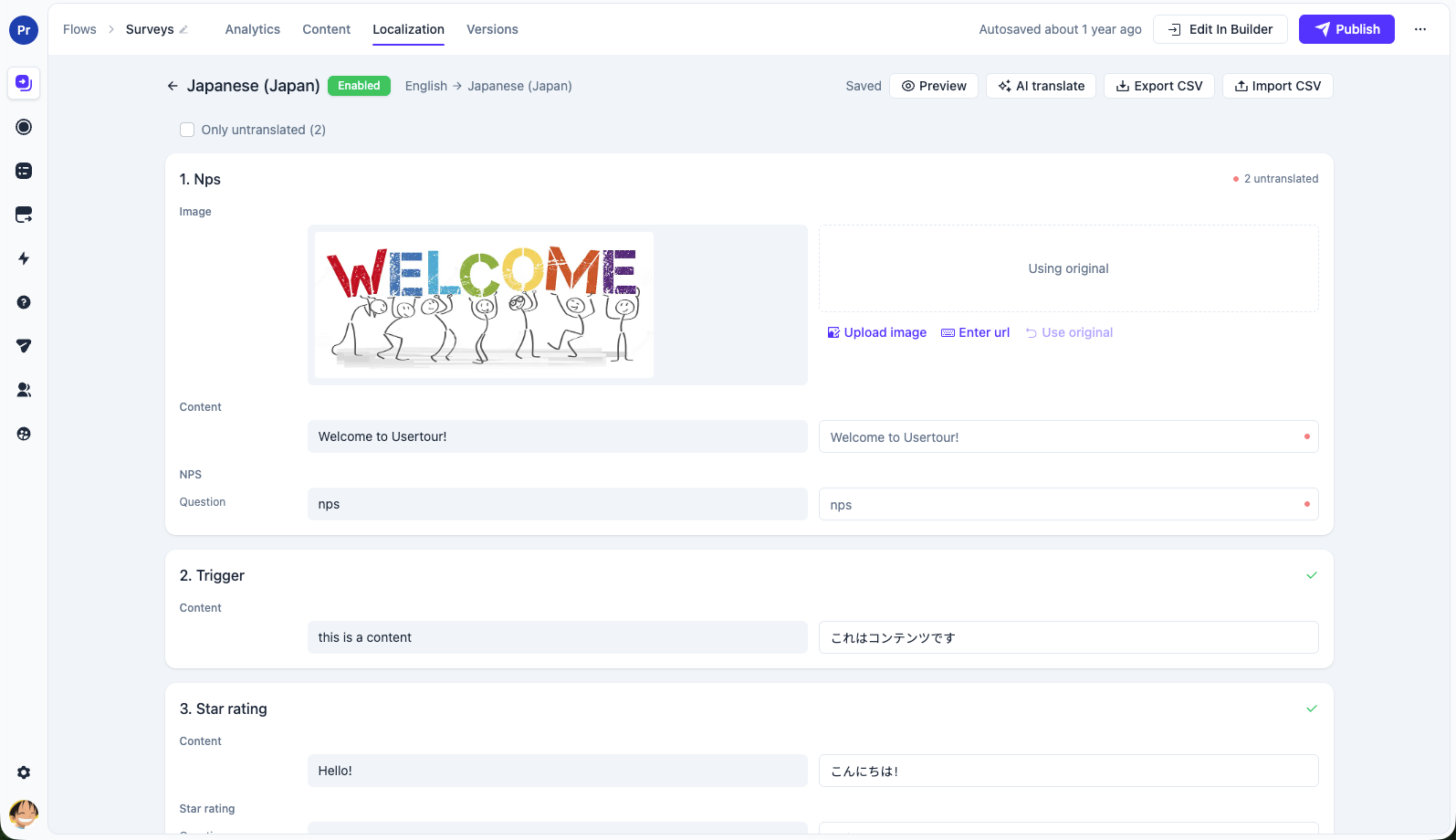
The translation editor puts source content and the translated version side by side. It supports rich text and content-specific fields, so you can translate the full experience instead of managing fragments across separate tools. A clear status indicator shows which fields still need attention, and Only untranslated helps teams focus on the remaining work.
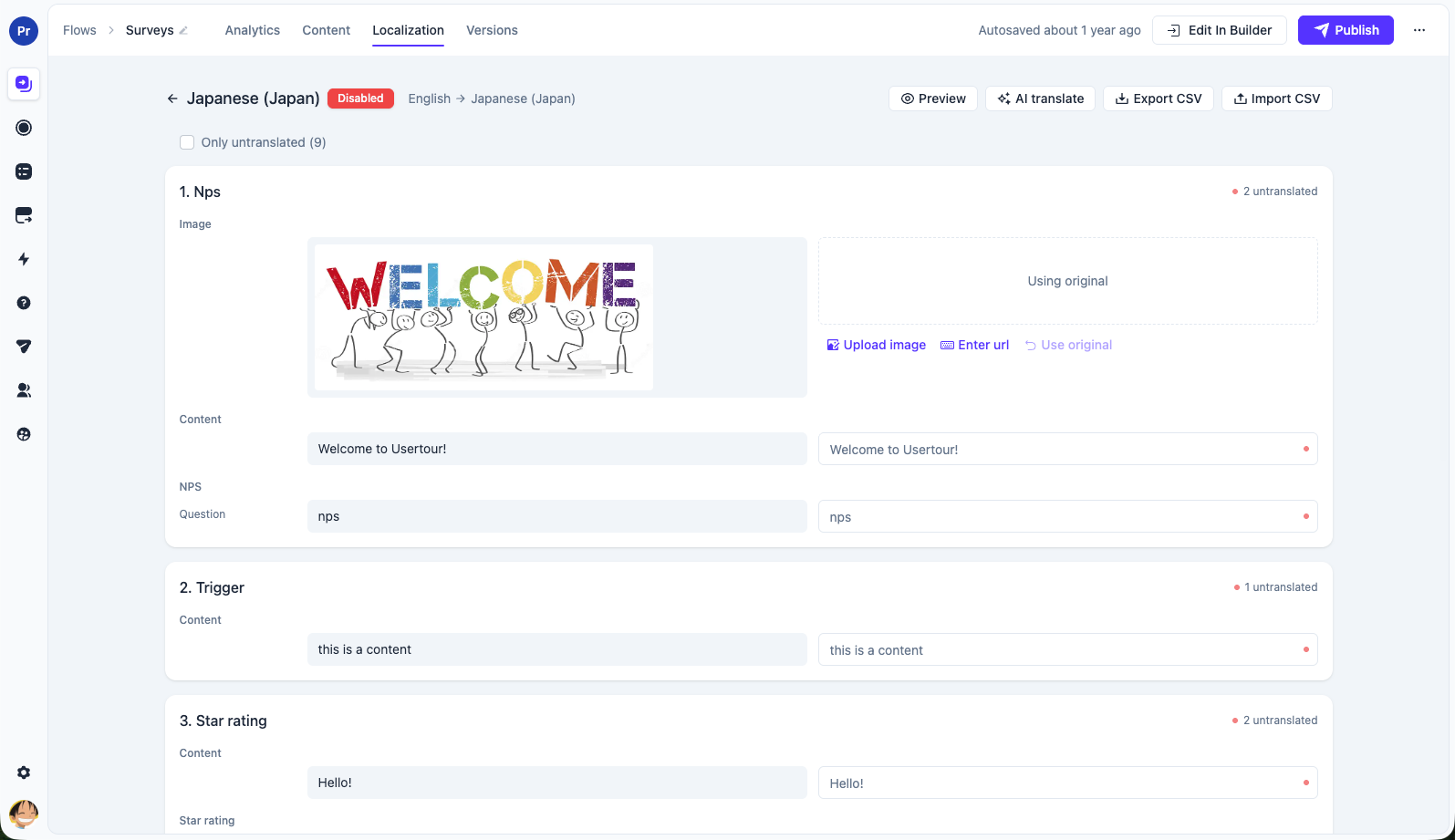
That matters when a launch spans more than a single tooltip. A new feature can have its announcement, guided tour, checklist item, and Resource Center entry localized together—so users receive one coherent experience in their language.
Deliver the language your app knows the user prefers#
Usertour uses the locale_code user attribute to select a translation. Your app sends the locale it already knows for the user, and Usertour delivers the matching language.
The matching is predictable:
- Usertour first looks for an exact locale match, such as
fr-CA. - If there is no exact match, it falls back to the primary language, such as
fr. - If neither is available, users see the source-language content.
There is no browser-language guesswork, so your app remains the source of truth. If the locale changes during a session, Usertour can re-deliver eligible content in the new language without requiring the user to start over.
Use AI for the first pass, not the final word#
Translation work should not start with an empty field. The new AI Translate action can fill missing strings across an item and shows its progress while it works. It intentionally fills blank fields only, so an approved translation is never overwritten by automation.
You can also run AI translation on an individual row when only one piece of content needs help. For teams that prefer their own translation process, CSV export and import make it easy to hand strings to translators, review the result, and bring it back into Usertour.
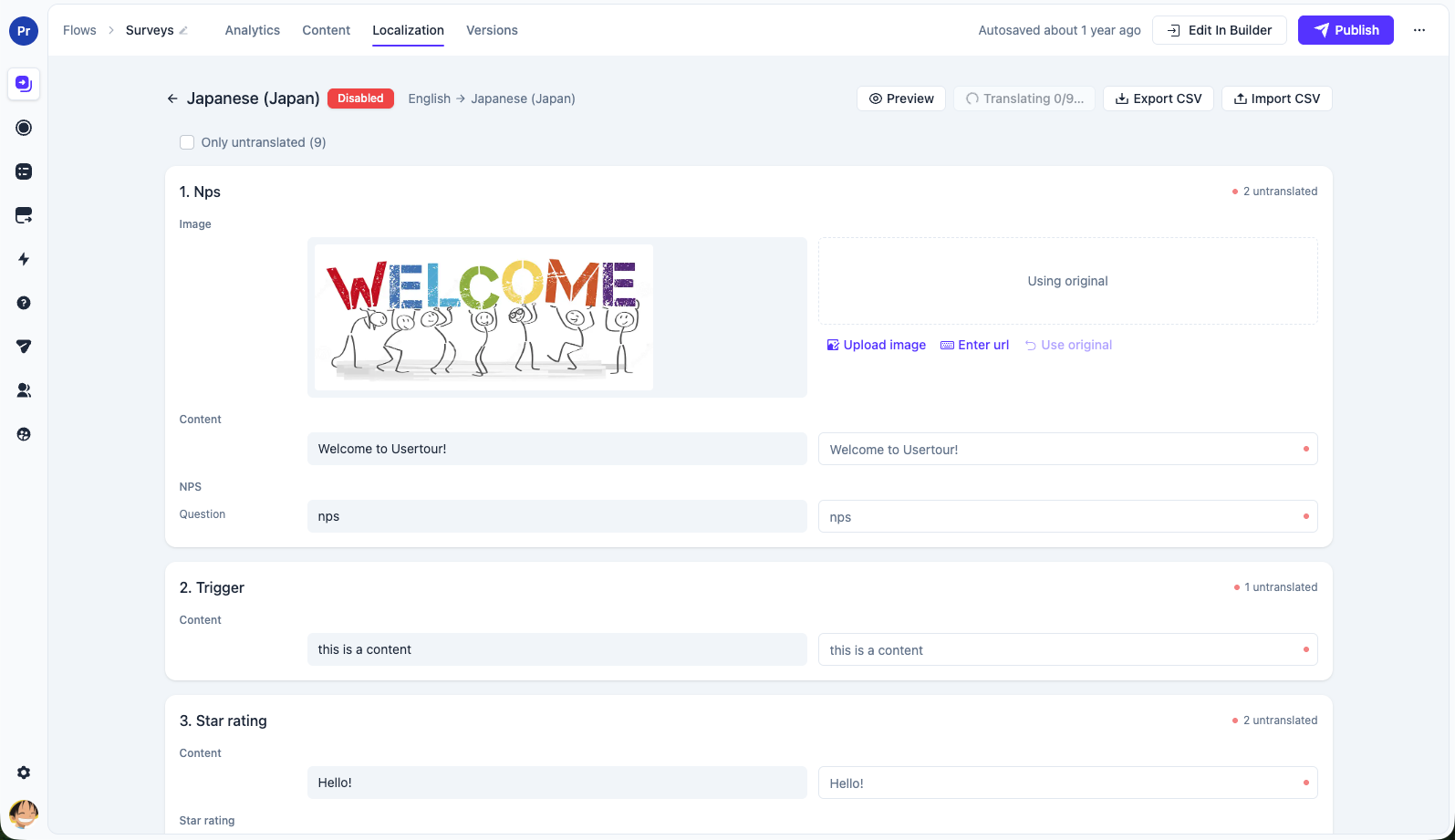
On Usertour Cloud, AI translation is included with every paid plan. For self-hosted deployments, connect your own supported AI provider—including Anthropic, OpenAI-compatible providers, AWS Bedrock, or a local gateway—and keep control of your provider usage and costs.
Keep translated content accurate as your product changes#
Localization is built into Usertour's versioning and publishing model. When you update source content, existing translations are marked as outdated rather than silently drifting from the latest message. You can see what needs review, update it, and publish with confidence.
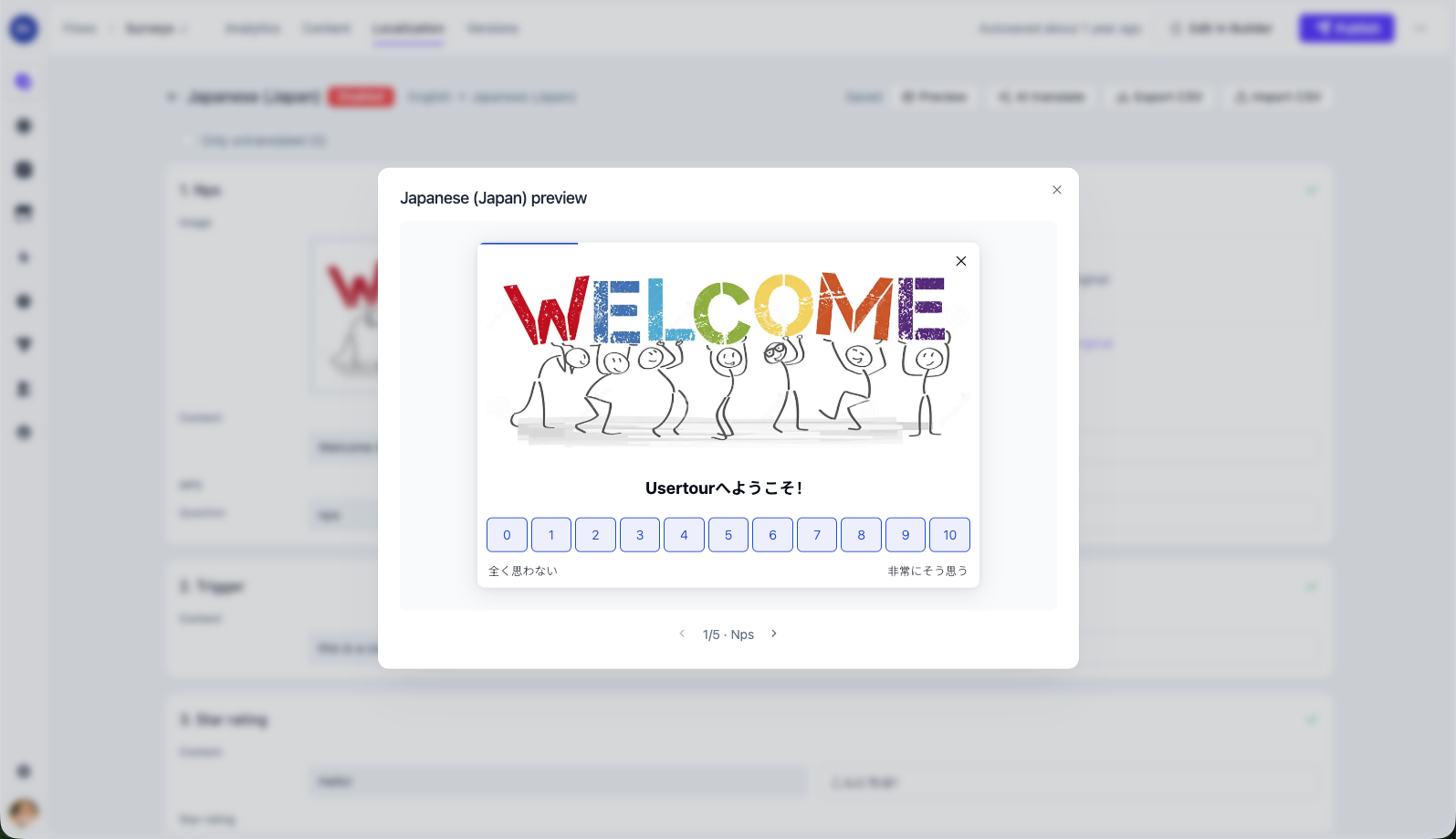
Before publishing, preview the experience in the target language. This is especially useful for checking translated layouts, buttons, and survey text in the context where users will actually see them.
In the editor, untranslated and outdated content are visually flagged so reviewers can distinguish work that is missing from work that needs a fresh pass. Your source language remains a dependable fallback throughout, which means an incomplete translation never blocks a launch.
More of the Usertour experience, already translated#
v0.8.8 also includes built-in translations for the Usertour widget interface in English, Simplified Chinese, Traditional Chinese, Japanese, Korean, French, German, Spanish, Portuguese, and Dutch. Together with your own localized content, the in-app experience feels more consistent from the first interaction to the last.
The release also improves how the widget updates during an active session, makes checklist and launcher re-delivery more reliable, and gives Viewers read-only access to Announcements.
Get started with Localization#
Add your first target language in Settings → Localization, set locale_code for users through your Usertour SDK integration, and translate one high-impact experience—such as a new-user flow or a feature announcement. Start with the paths that shape activation, then expand to the rest of your in-app communication.
Read the Localization guide for the complete setup and workflow, or review the full v0.8.8 changelog.