


Your Usertour environment token is meant to be public. It lives in the page source so Usertour.js can connect inside your product.
But a public token cannot prove who is calling it. Without another layer of verification, someone who has seen your page could attempt to call identify() with another user's ID, or attach a user to a company they do not belong to.
With Usertour v0.8.9, you can now add that missing proof. Identity Verification lets your backend sign an identity token for each logged-in user, and lets Usertour accept identity claims only when that token is valid.
Turn an identity claim into a verifiable one#
Identity Verification uses a standard JWT signed by your backend with a per-environment signing secret. The secret stays on your server; the browser only receives the short-lived identity token that your backend has created for the current user.
The token's sub claim matches the user ID you pass to identify(). If you use group(), the same token can also carry a companyId claim that proves the user's company membership. Pass the token as the third argument to Usertour.js, and the SDK sends the signed proof with the identity claim.
That changes the trust model in a useful way. Your environment token can remain public, as it must be, while the right to assert a real user's identity stays with your backend.
Roll out protection without locking users out#
Turning on a security control before an integration is fully deployed is risky. Identity Verification is designed to avoid that cutover problem.
Start by adding tokens to your identify() and group() calls while enforcement remains off. Usertour verifies every claim and records the result, but existing unsigned traffic keeps working. The Signed traffic card then shows the percentage of user and company identity claims over the last seven days that carried a valid token.
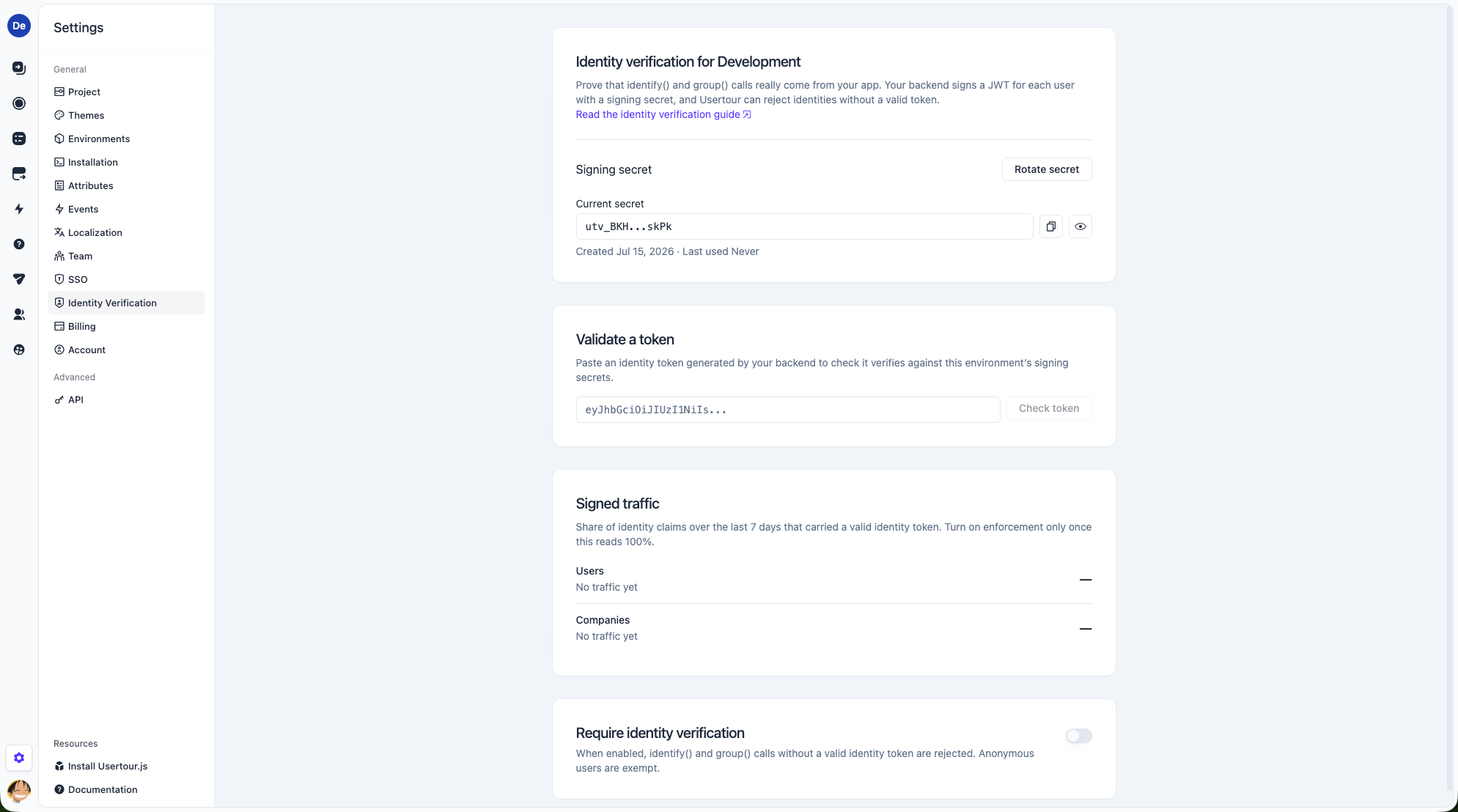
When both coverage rows show 100%, enable Require identity verification. From that point, Usertour rejects identify() calls without a valid token and rejects group() calls whose token does not carry the matching company claim.
Anonymous visitors keep working. identifyAnonymous() is deliberately exempt because it has no backend identity to sign, though anonymous users cannot be associated with a company while enforcement is on.
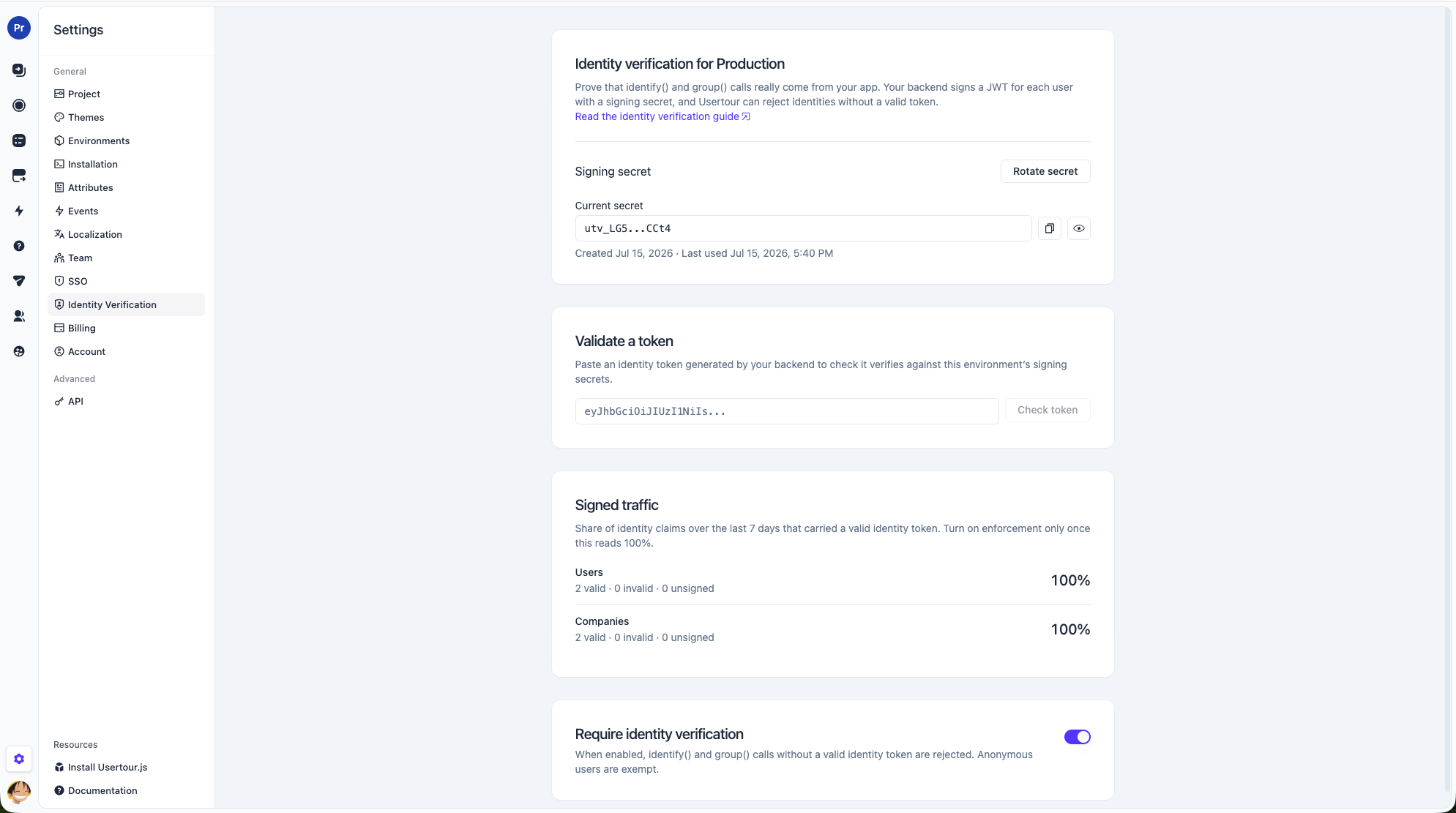
This coverage-first workflow makes security an observable rollout rather than an all-or-nothing switch.
Create, test, and rotate secrets with confidence#
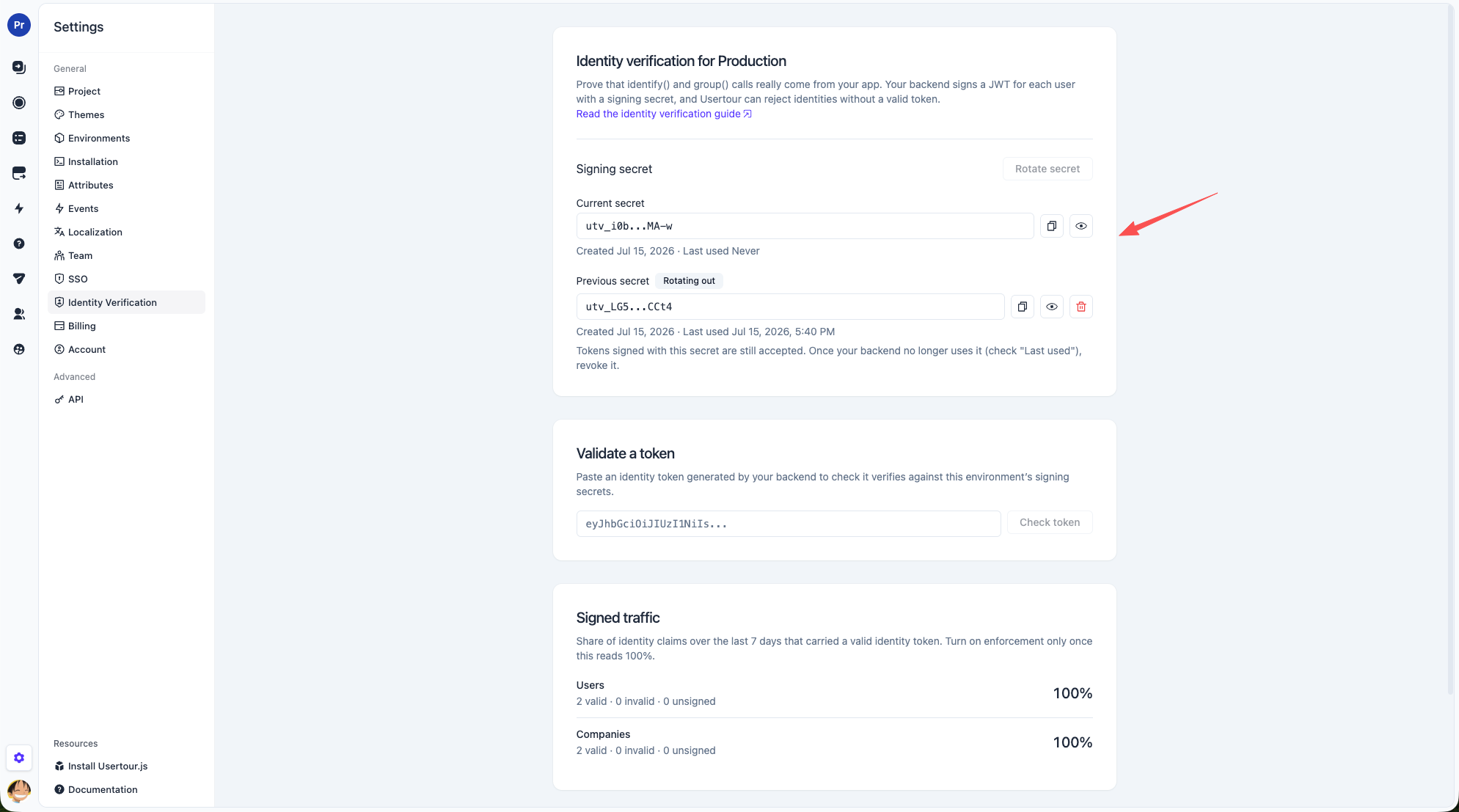
Each environment has its own signing secret, so production and staging are isolated. Generate the secret in Settings → Identity Verification, store the full utv_… value in your backend configuration, and use it as the key for an HS256 JWT.
The new Validate a token tool helps verify the integration before you turn on enforcement. Paste a token generated by your backend to see whether Usertour accepts it and, when it does not, the concrete reason—for example an expired token, an incorrect signature, or a missing required claim.
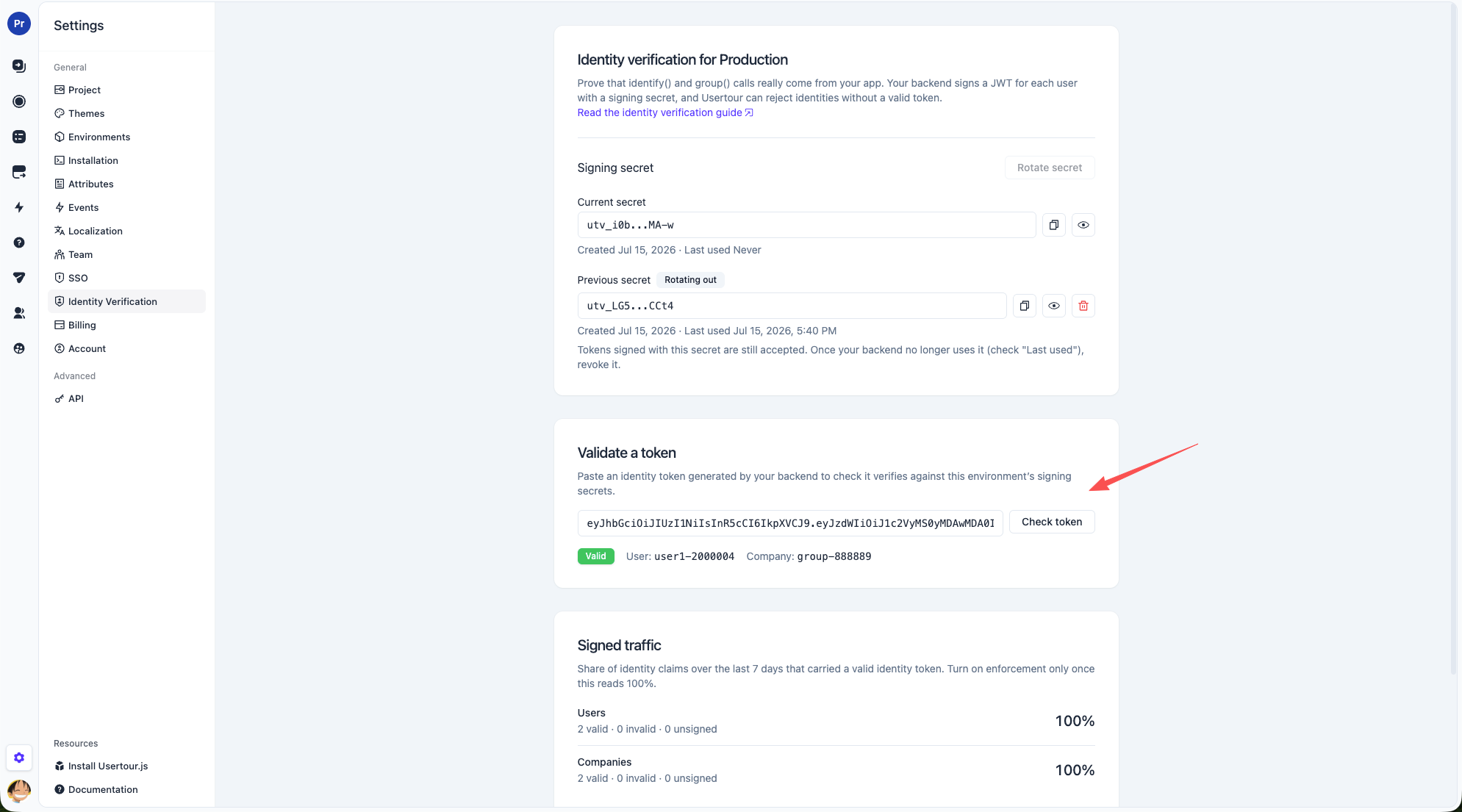
Secret rotation does not require a risky coordinated deploy. An environment can keep two active secrets during the transition, and Usertour accepts tokens signed with either one. Generate the new secret, move your backend signers to it, check the previous secret's Last used time, then revoke the old secret when it is no longer in use.
What Identity Verification protects#
With enforcement enabled, the environment token is no longer enough to impersonate a known user, overwrite their attributes, mass-create identities for real user IDs, or attach users to companies they do not belong to.
Identity Verification is intentionally focused on proving identity claims. It does not hide published Usertour content, which remains available to anonymous visitors by design, and it does not prevent an authenticated user from changing their own attributes. Your application remains responsible for deciding which attributes it sends.
Get started#
- Generate a signing secret in Settings → Identity Verification.
- Have your backend mint an HS256 JWT with the user's ID in
suband, if applicable, the company ID incompanyId. - Pass the token to
usertour.identify()andusertour.group(). - Watch Signed traffic until both user and company coverage reach 100%.
- Enable Require identity verification.
If you install Usertour.js from npm, use version 0.0.24 or later so the token option is available in the TypeScript types.
Read the Identity Verification guide for signing examples in Node.js, Python, Ruby, PHP, and Go, or review the full v0.8.9 changelog.